
下载并安装ssh连接工具Finalshell(windows、macOS、linux 版):https://www.hostbuf.com/t/988.HTML
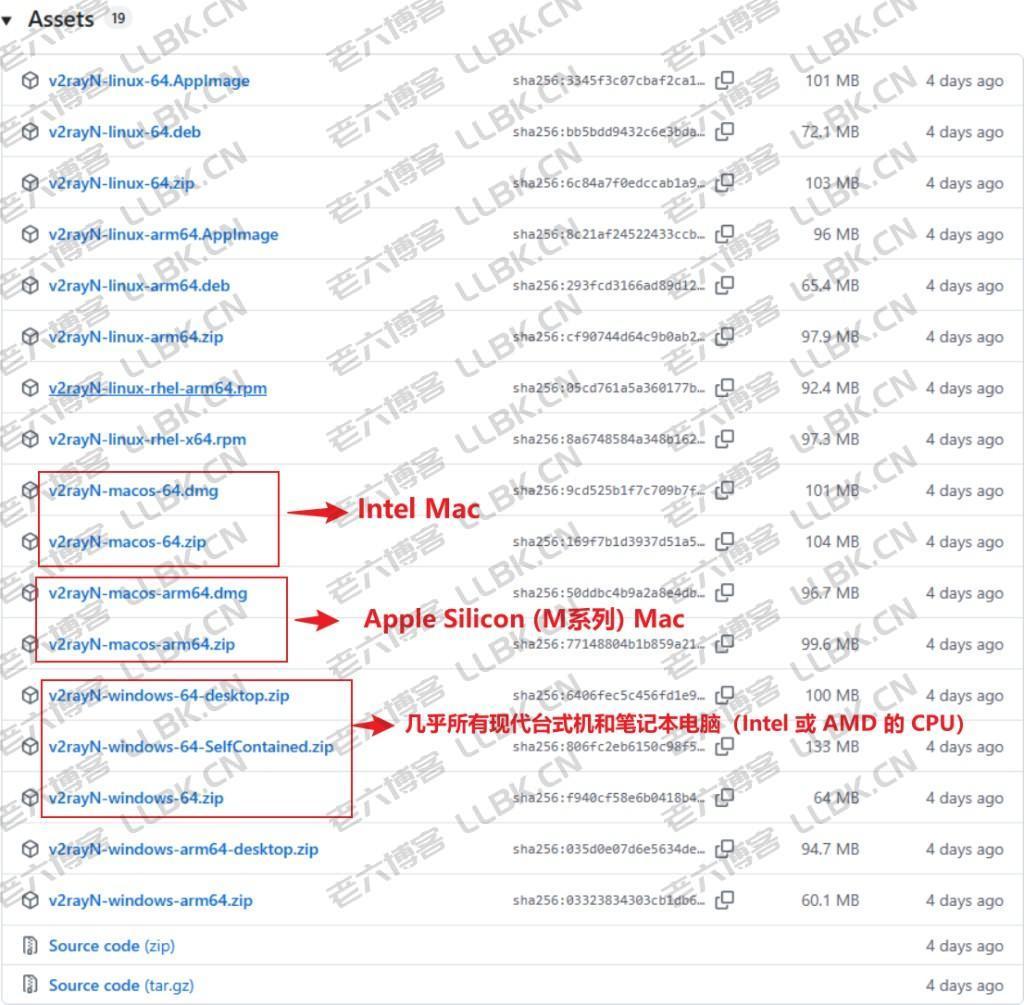
Windows/Mac(v2rayN):https://github.com/2dust/v2rayN/releases
Android(v2rayNG):https://github.com/2dust/v2rayNG/releases

IOS(shadowrocket):在外区 app Store 搜索 “Shadowrocket” 并下载
apt update -y && apt install curl sudo wget git -y
2.一键安装脚本
VERSION=v2.6.0 && bash <(curl -Ls "https://raw.githubusercontent.com/mhsanaei/3x-ui/$VERSION/install.sh") $VERSION
3.申请SSL证书
申请证书前,先关闭防火墙 sudo ufw disable/需放行端口80: ufw allow 80,这样等下证书申请才能成功
还有到cloudflare添加域名的DNS记录
4.配置节点(重点注意:搭建节点如果不能上网,记得要放行节点端口。)
cloudflare标准 端口 知识
(参考资料:https://developers.cloudflare.com/fundamentals/reference/network-ports/)
80系端口(HTTP):80,8080,8880,2052,2082,2086,2095
443系端口(HTTPS):443,2053,2083,2087,2096,8443
优选ip工具:https://github.com/XIU2/CloudflareSpeedTest
在线优选IP:https://stock.hostmonit.com/CloudFlareYes
https://api.uouin.com/cloudflare.html
http://ip.flares.cloud/
优选域名:
5.启用 BBR




还没有评论,来说两句吧...